Item Added to Basket


SwitchIt! Transport Extra
£69.00
Available for VAT relief
Product Code (SKU)
SwitchIt! Transport Extra
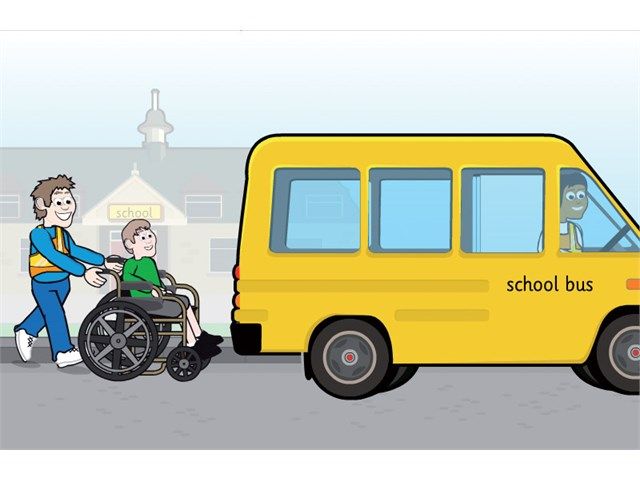
Covers twelve transport themes each with activities at three levels, flash cards, picture builds and stories.
Please note: SwitchIt! Transport Extra software is downloadable software delivered via email within 2-3 days of receipt of order.
Read MoreCovers twelve transport themes each with activities at three levels, flash cards, picture builds and stories.
Please note: SwitchIt! Transport Extra software is downloadable software delivered via email within 2-3 days of receipt of order.
This program is part of our SwitchIt! series of programs. These have been developed to provide accessible and motivating topic based activities for individual and class use. SwitchIt! Transport contains a selection of animations, picture builds and flash cards relating to different types of transport. The program can be accessed by mouse, touch screen and switches and contains simple but meaningful graphics and sounds to cater for a range of needs. The graphic style has been developed to provide clear images to help users with perceptual and visual problems. Sound effects and animations are linked giving a clear indication of when the next input or switch press is needed, supported by the on-screen switch prompt. This helps to discourage rapid switch pressing for its own sake as well as re-enforcing the need to press and look and listen.
Motivating clear graphics and sounds to engage the users and provide opportunities to develop skills from cause and effect through to choice making and giving lots of scope for language development. Comprehensive options allow you to adapt the program to cater for a wide range of cognitive and accessibility needs including using one and two switches.
Resources
In addition to the program itself SwitchIt! Transport includes a wide selection of printable and other support materials to consolidate and extend the learning experience this program provides.
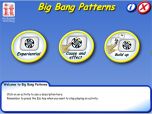
The program has three types of activities
Flash Cards
Thirty clear drawings of items related to the animations with spoken names. One press gives picture and name, second press speaks name.
Stories
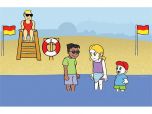
Twelve “stories” featuring different types of transport, each press moves the story forward with an animation at each step. This offers lots of opportunity for language development and is a very effective when used with a group of learners. While being for the most part realistic stories incorporate some surprises and great touches of humour, should an airliner loop the loop!
Story Subjects
- School bus
- Taxi
- Sailing
- Capsized boat and rescue
- Space rocket
- Digger
- Petrol station
- Truck
- Cherry picker
- Train
- Aeroplane
- Ferry
Access Options
The program caters for switch, touch screen and mouse access. Comprehensive switch options are available catering for single and two switch access with options for turn taking with two switches and a spoken auditory scan for the picture menus.
Subject Choice
This can be used to limit the number of Flash Cards, Picture Builds and Stories choices available – you can choose a child’s favourites or limit the choice available on a picture menu to simplify access.
Picture Menus
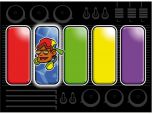
On-screen picture menus for Picture Builds and Stories to allow the user to choose which topic to play. These can be accessed by switche(s) touch and mouse, and provide a good errorless scanning activity.
Technical Support
- Compatible with: Windows: 7 / 8 / 10 / 11
- SwitchIt! Transport Extra is now delivered by download (with an activation key).
- MSI installer is available for site licence customers.
- An active internet connection required for installation/activation.
Documentation & Downloads
- SwitchIt! Transport Extra EXE (126.1 MB)
- SwitchIt! Transport Extra Manual (2.4 MB)
- SwitchIt! Transport Extra - Assessment Sheets (69.7 MB)
FAQs / Troubleshooting
Related Products