The term "visual impairment" is used to describe a wide range of conditions which affect clarity of vision and visual field. Technology can be invaluable for people with visual impairments, both as a tool for learning and communication and for providing visual stimulation. By using a computer with appropriate software and hardware the visually impaired user can be given access to standard resources. For example, speech synthesis can read a word processed file to a blind person without the need to have it translated into Braille.


The computer as a visual medium
Some will find that the computer display is easier to see than paper based materials.
It is possible to alter the appearance of the screen display, for example a
larger text size can be selected or different colours used. Special screen magnification such as Supernova and Lunar software
can be used to give even more control over the screen display to adapt it to
meet an individual's needs. This software can also help by keeping track of
events on the screen and alerting the user. This will help those who can only
see a small portion of the screen clearly at any one time.
Computer
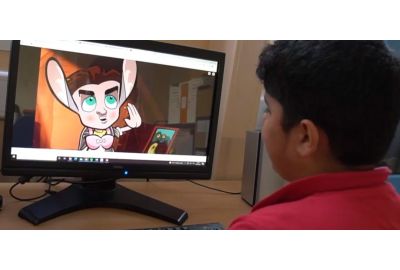
software can also be used to display bright attractive
moving images which can encourage children
with visual impairments to make effective use of their vision.
Using speech with the computer
Computers can use speech synthesis to read text and screen contents giving visually
impaired and blind users access. Adding speech support to standard software
can give additional help to someone with visual difficulties. Those with very
severe difficulties may require specialised speech screen reading software.
Early learning software using speech and sound alongside bright pictures can
motivate visually impaired children to explore and interact with their surroundings,
i.e. Inclusive's SwitchIt!
Scenes and SwitchIt!
Patterns.
Specialised equipment for the visually impaired
In addition
to standard computer equipment there is a range of special electronic equipment
designed to be used by people with a visual impairment. This includes purpose
made portable Braille computers and Braille input and output devices for
standard computers.
Choosing equipment and software
Finding the correct
equipment and software will involve considering the users' visual needs, what
they want to do with technology and their ability to operate the equipment.
Advice can be obtained from the RNIB and similar organisations, the makers of
equipment and software and teachers of the visually impaired. It is sensible to
start by trying to use readily available equipment, for example, by changing
the text size in a word processor. Creating a good working environment is
important, especially in the school classroom where the pupil may be unaware of
their needs or reluctant to mention them.
Getting the environment right
An
appropriate working environment is important for people with visual
impairments. Correct lighting and a good working position can make it easier
for them to use their vision effectively. This is particularly important for
school situations where pupils may be reluctant to express their needs.
Good glare free lighting will be required for reading, while the screen will need to be away fro m direct light. The computer user may also need to be seated near to the front of the classroom. All these arrangements could also depend on the presence of a suitable power point.
Setting up a computer for someone with a visual impairment
Standard computers and software can be configured to suit individual
preferences. In most cases these settings can be saved so that they take effect
each time the computer and particular program is used.
Some understanding of the nature of different visual impairments is
useful, if you are helping someone set up a computer don't forget to ask them
what they prefer.
Settings for text sizes, fonts and colours can be used to alter the appearance
of the screen and to increase its legibility. The monitor controls can be used
to alter contrast and brightness. Apple Macintosh and PCs using Windows have
built into their system a range of adaptations to help users with visual problems.
A larger or higher quality monitor may be easier to see. An anti-glare screen
may be required for some users. The working environment is important, taking
into consideration such factors as monitor height, position of windows and artificial
light.